EN

Free · No ads · No account · Open source

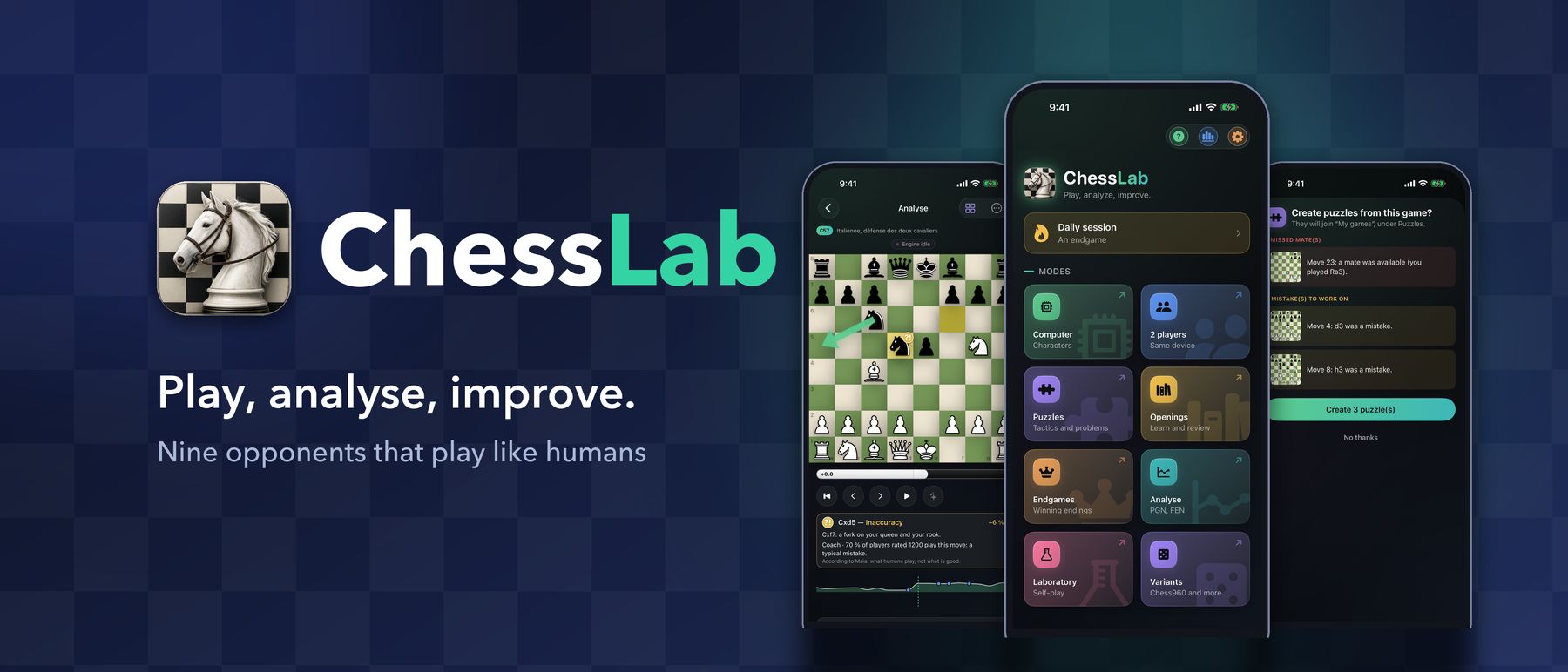
Play, analyse, improve.

The chess trainer that lives entirely on your device. Nine opponents who play like real people, Stockfish to explain your mistakes, and over 130,000 puzzles — with no account and no network.

iPhone · iPad · iPhone Duo

What players at your level play Nine opponents that play like humans Your daily session

Privacy

Nothing leaves your device.

Most chess apps want an account, a connection and your data. ChessLab wants none of them — and you can check.

  • Works in airplane mode

    The engine, the human-like opponents, the analysis, the courses and the puzzles are all built in and compute on your device.

  • No account, no tracking

    No sign-up, no analytics, no ads, no third-party service. We have no server, so there is nothing to collect your data.

  • Open and checkable

    The full source code is public (GPLv3), and so is the licence of every component inside. On the App Store, the privacy label says it too: no data collected.

Read the full privacy policy →

For every kind of player

ChessLab runs several engines, including ones that play like humans, so the same app suits a first game and a club tournament.

  • Just starting out

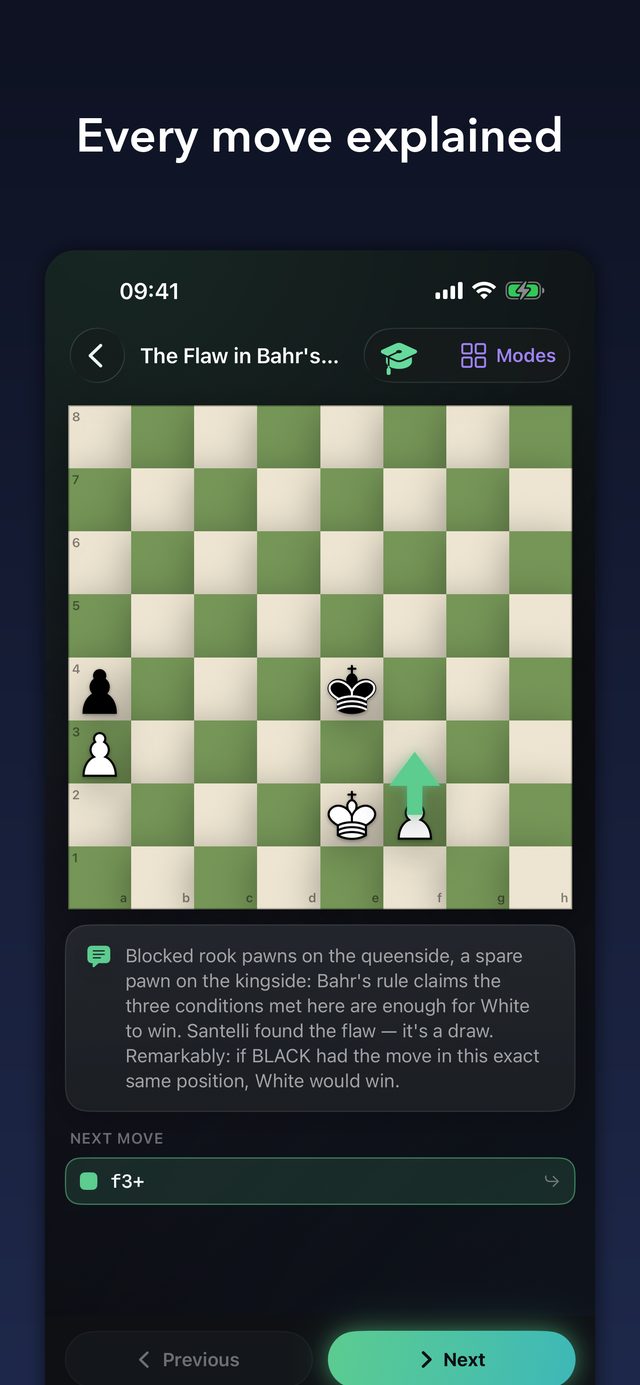
    Play against a gentle character who makes human mistakes, ask for a hint when you are stuck, and let the Coach explain what went wrong — in one plain sentence.

  • Improving at the club

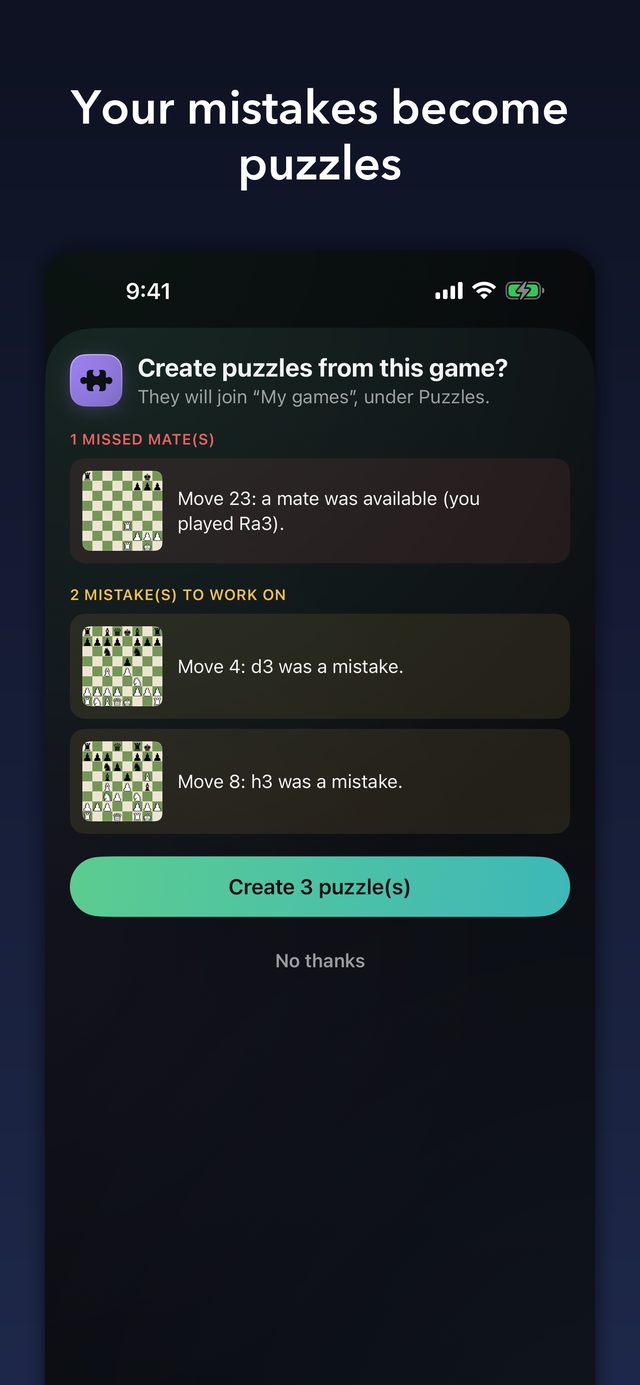
    Build your repertoire with explained openings, drill it with spaced repetition, and turn your own mistakes into puzzles.

  • Curious and tinkering

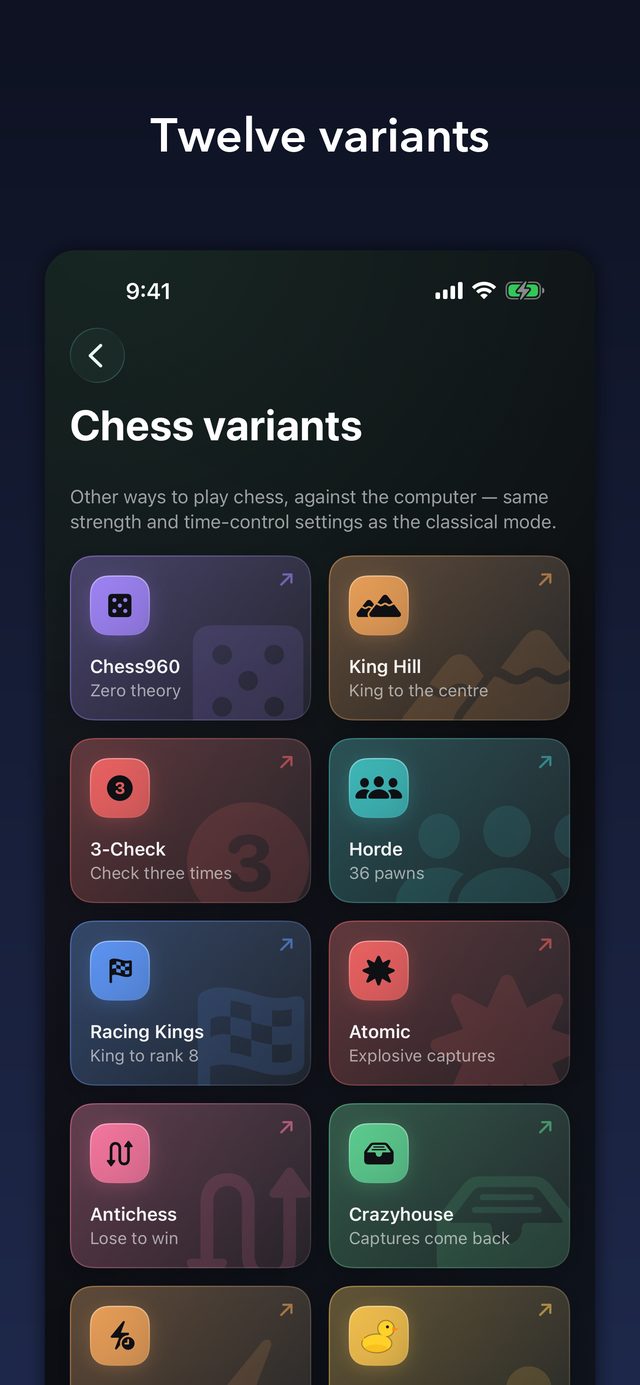
    Twelve variants, Chess960, a laboratory that pits two Stockfish settings against each other, and PGN, FEN and photo import.

Features

Everything you need to get better

Play, understand, remember. Each part works on its own, and together they make a daily habit.

01

Opponents that play like humans

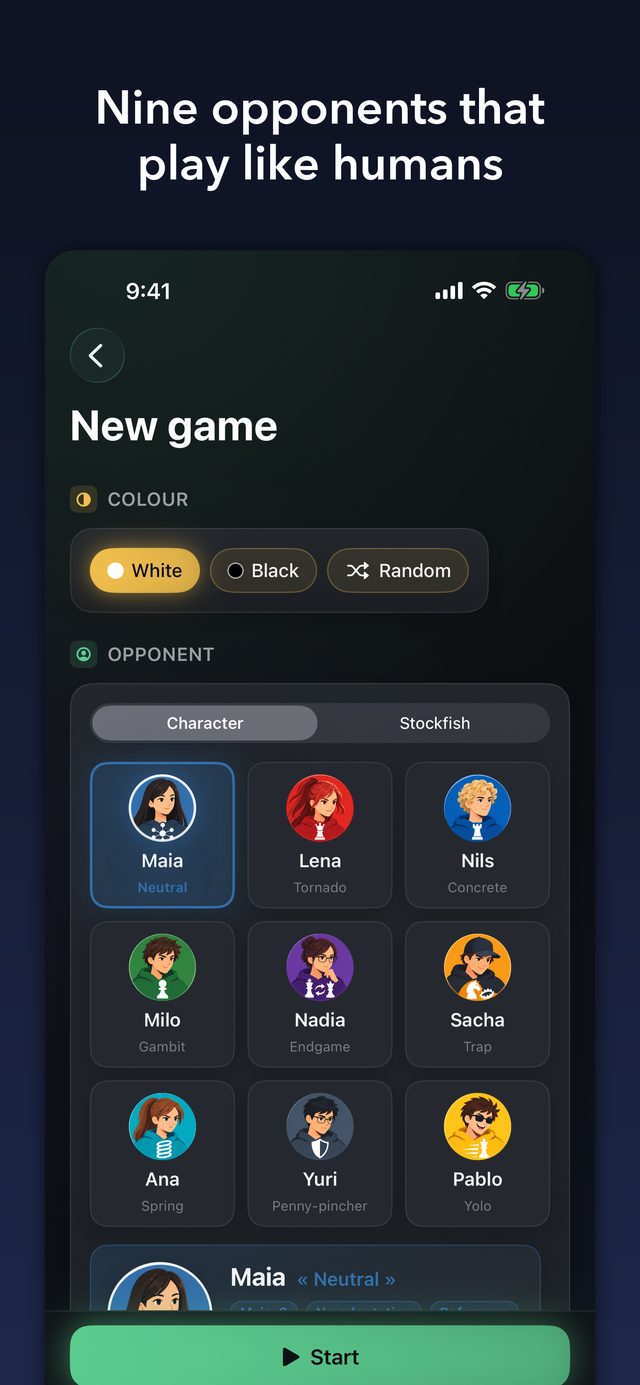
Nine characters played by Maia-3, a network trained on millions of human games: it does not look for the best move, it plays the one a human of that level would play, blunders included. Each has a style, a repertoire and a temperament, and a level set on the human scale. Or take on Stockfish, from beginner (~900 Elo) to maximum (~3190). Optional clock, hints, a warning before risky moves and an evaluation bar, all on demand.

Nine opponents that play like humans
02

Analyse and understand

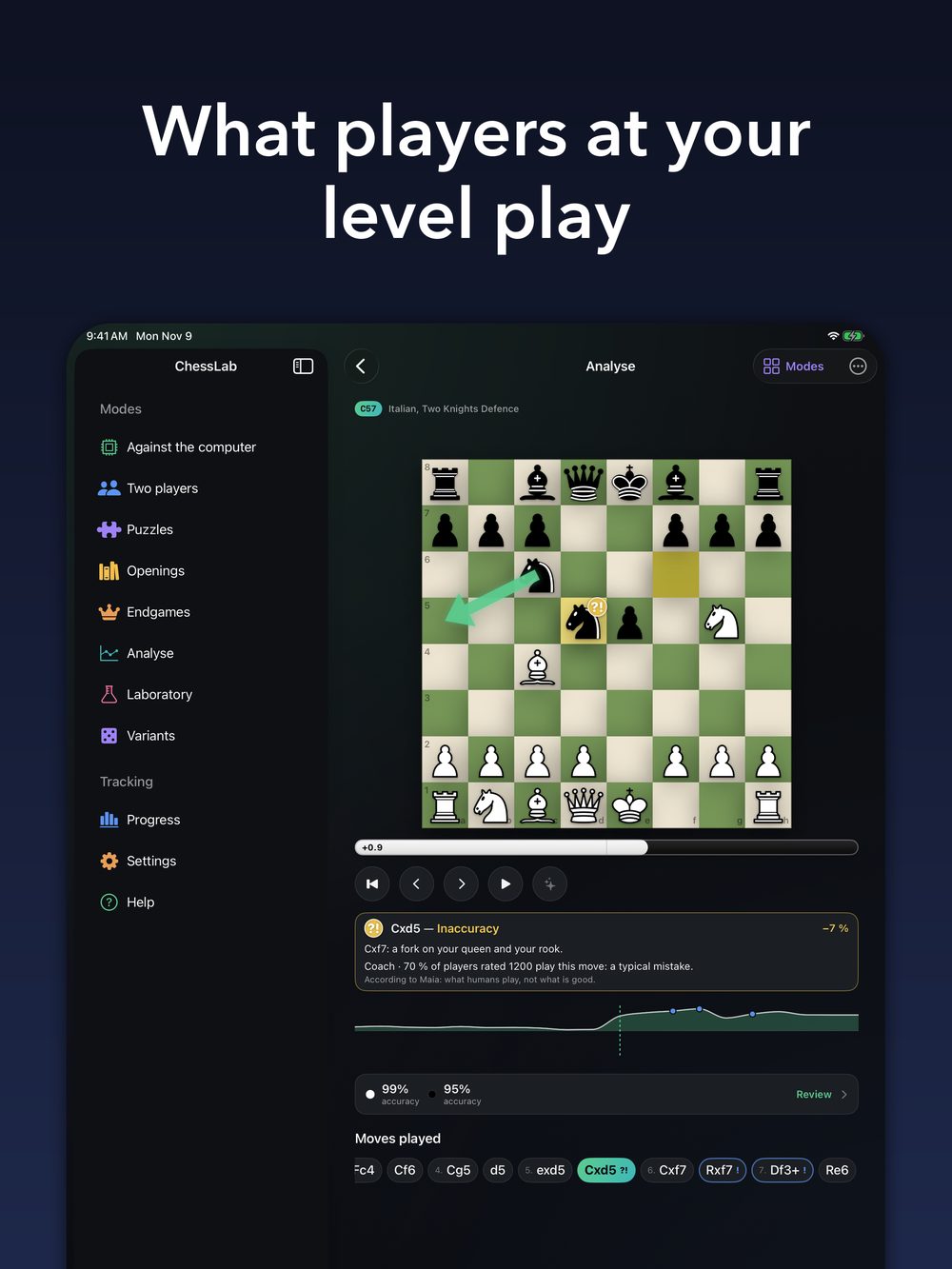
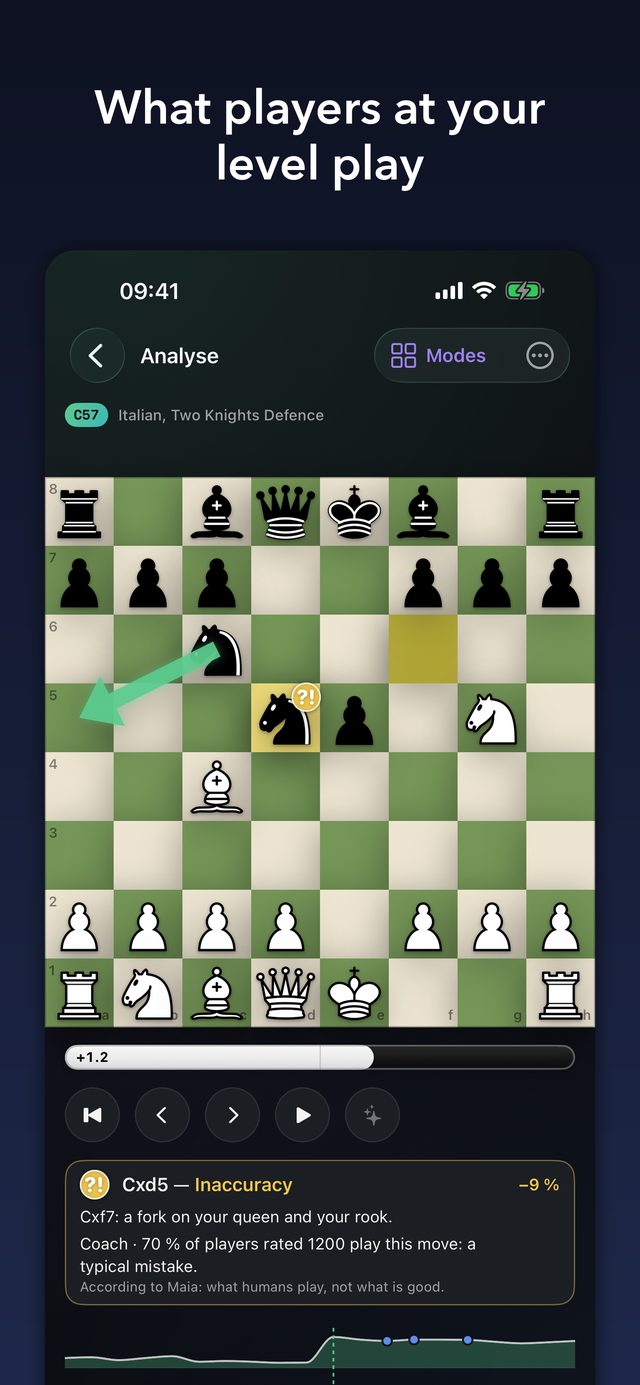
Every move is graded (inaccuracy, mistake, blunder, brilliant…), each player gets an accuracy score, and the app tells you why a move was bad. The Coach adds the share of players at your level who play it. At the end, it offers to turn your mistakes and missed mates into puzzles. Load a game by PGN, FEN, position editor or photo scanner.

What players at your level play
03

Daily session

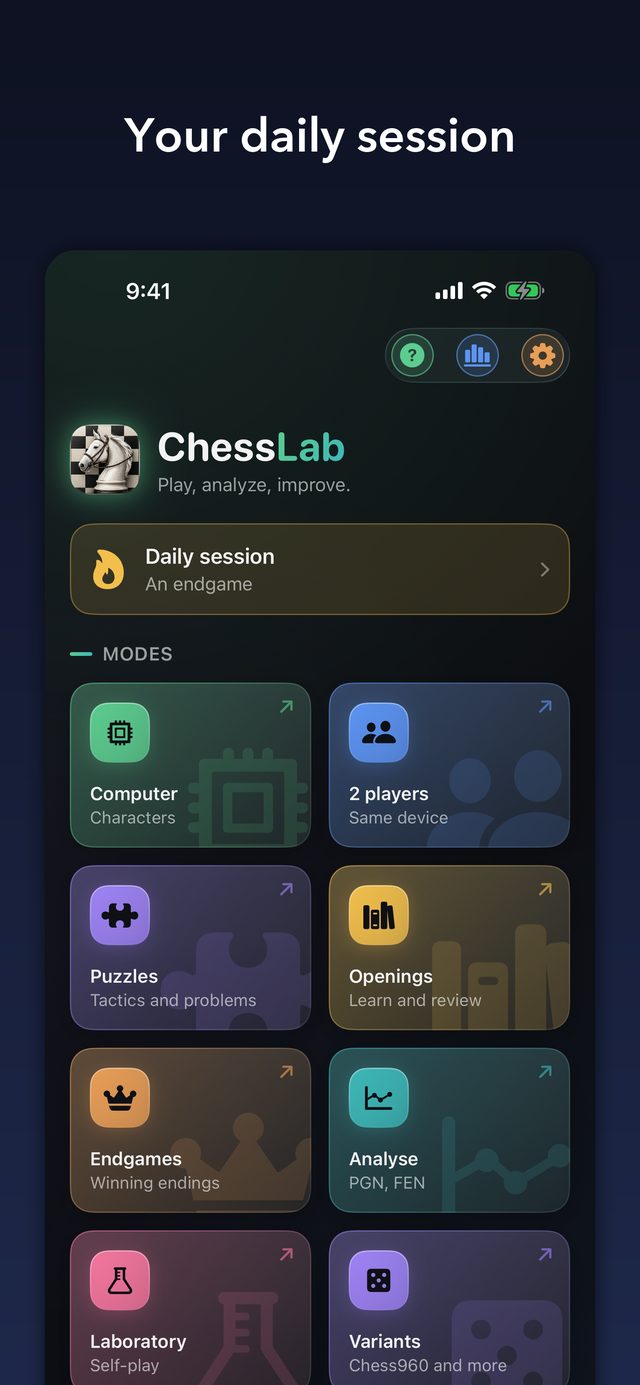
Every day, what to review: opening positions that are due, missed puzzles, an endgame. A streak of days and medals to keep you going.

Your daily session
04

Openings

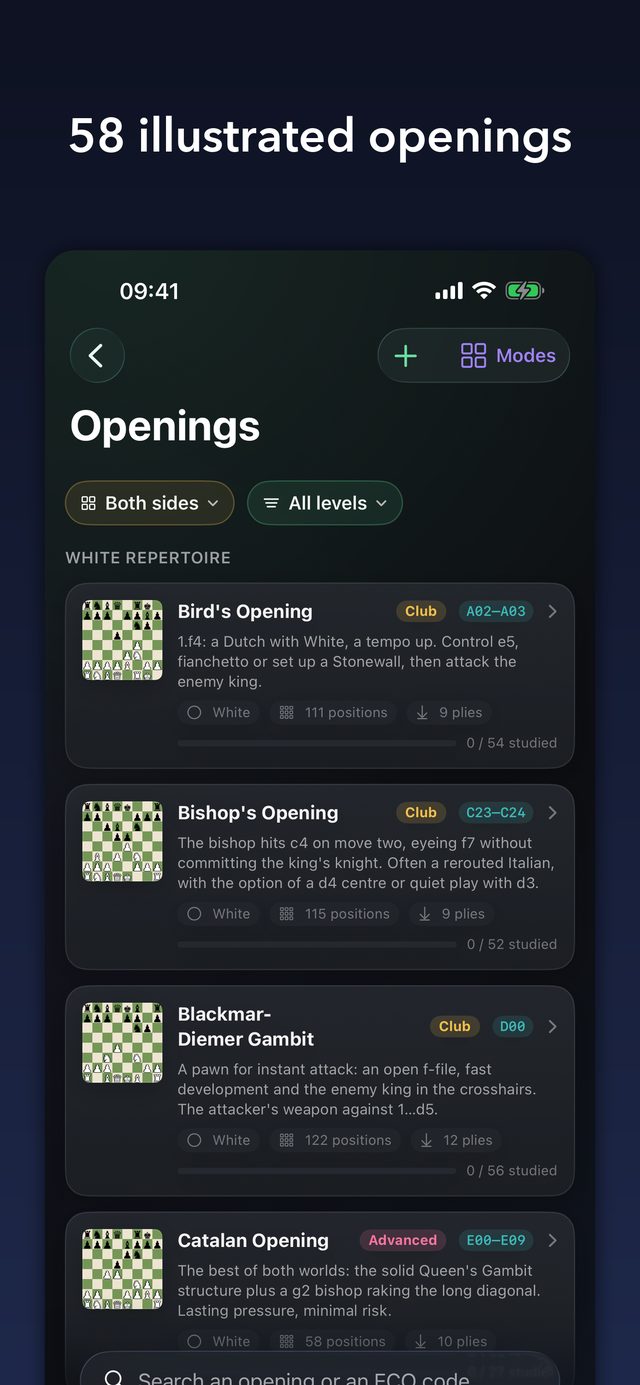
58 hand-written openings (multilingual), checked against the engine: every move is explained, coloured arrows tie the board to the move list, and spaced repetition makes them stick. Import your own repertoires as PGN too.

58 illustrated openings
05

Endgames

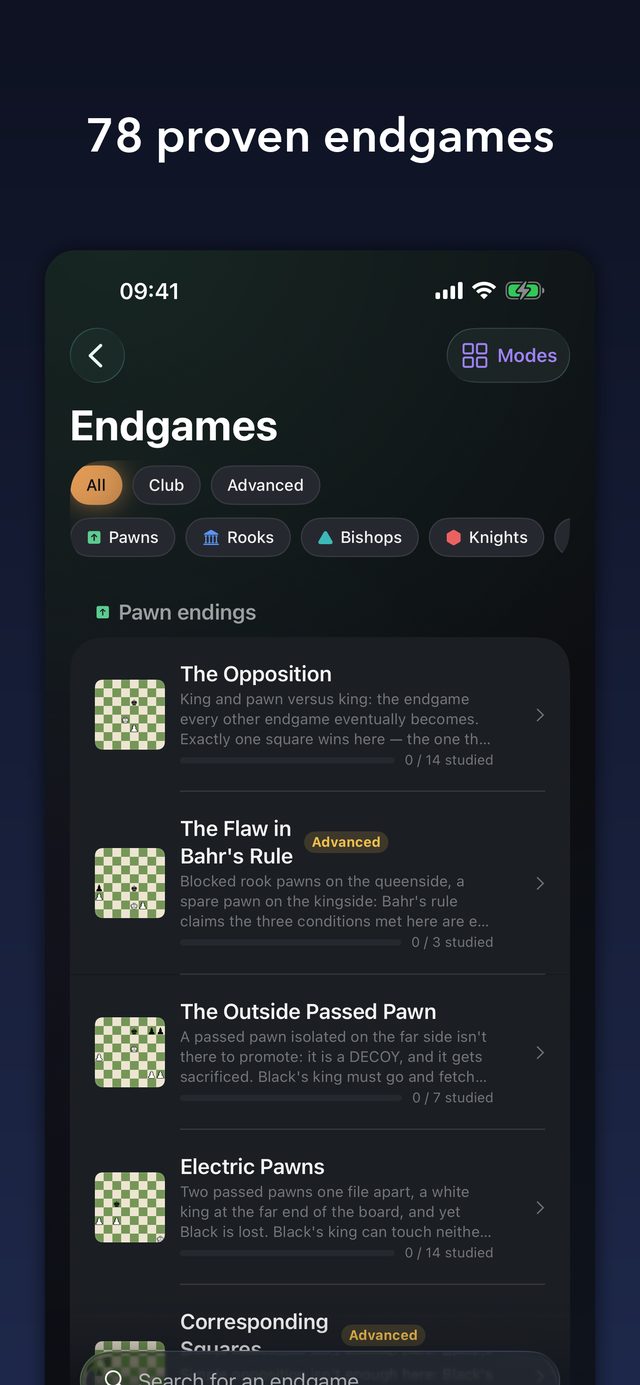
78 courses proven by endgame tablebases: no move taught gives up a win, no defence offered loses a draw. Plus free training, where any move that keeps the verdict is accepted.

78 proven endgames
06

Puzzles

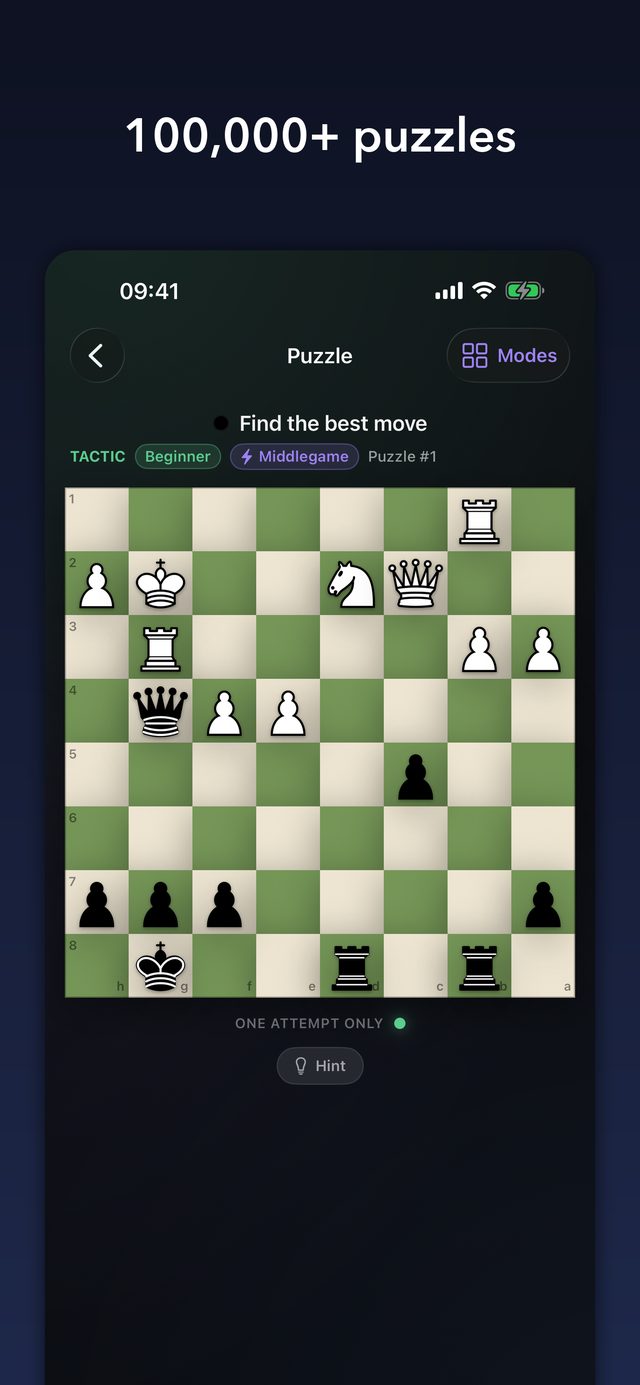
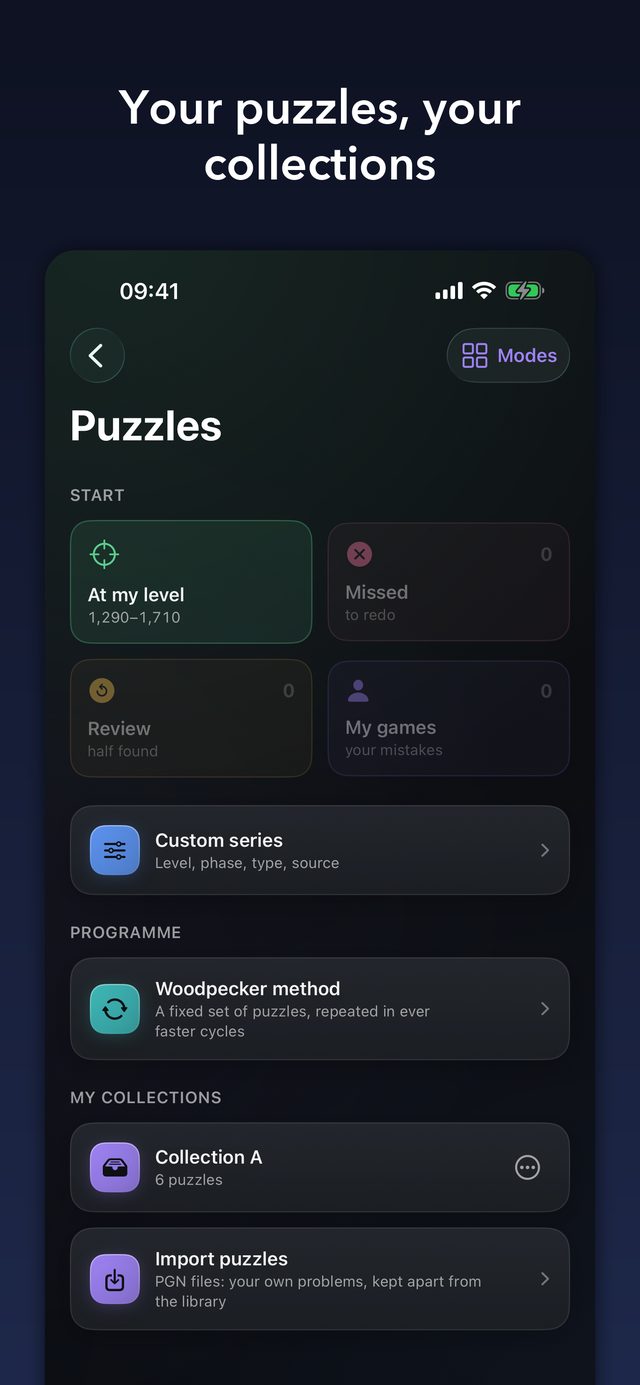
Over 130,000 problems from the Lichess database, filtered by level and theme, plus your own: drawn from your mistakes, or imported from your own PGN files. Personal rating and “At my level”.

Over 130,000 puzzles
07

Variants and more

Chess960 and eleven variants against the computer (King of the Hill, Three-Check, Horde, Atomic, Crazyhouse, Duck Chess, Barricades…), each with its own analysis. Two-player mode, and a Laboratory to compare two Stockfish settings.

Twelve variants

Screens

See it in action

Real screens from the app, in English. Swipe to browse.

Devices

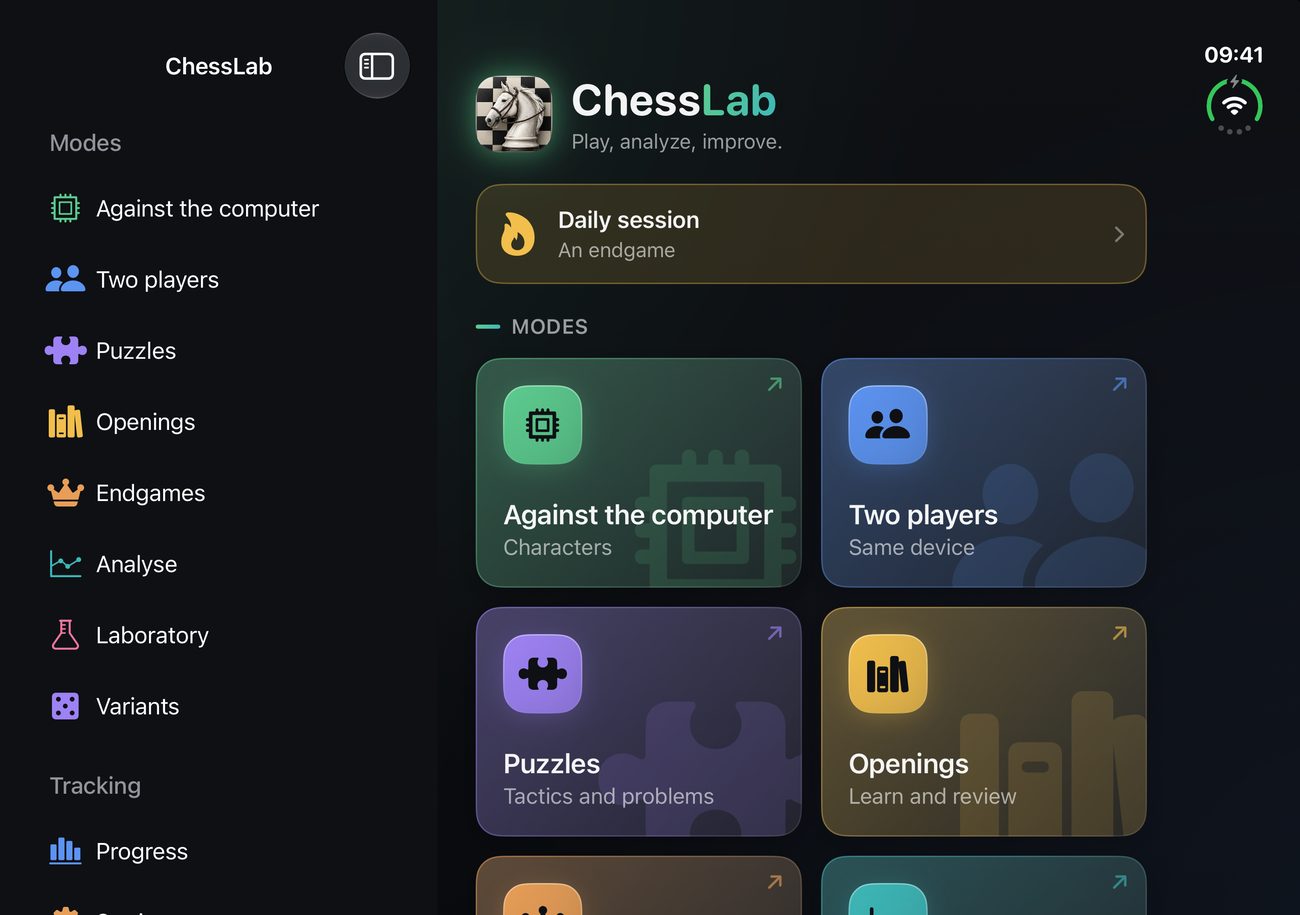
One app, every screen you own

The same features and the same look on iPhone, iPad and the foldable iPhone Duo.

One app, every screen you own
Every move explained

iPhone

Play, analyse and train anywhere, in portrait or landscape — even in airplane mode. Optional iCloud sync between your own Apple devices, off by default.

ChessLab on iPad, with the board and the analysis side by side

iPad

A large board with the panels side by side, keyboard and trackpad support, in portrait and landscape.

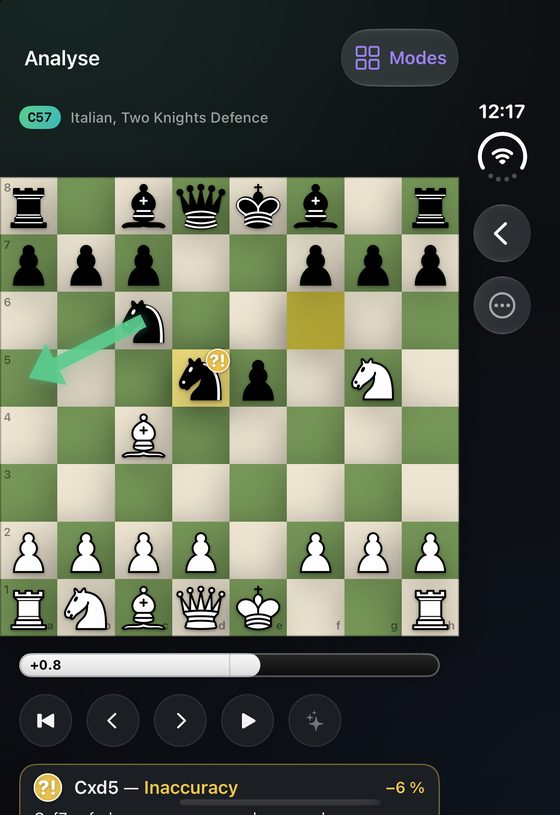
ChessLab on the inner screen of the iPhone DuoChessLab on the outer screen of the iPhone Duo

iPhone Duo

Full support for both screens: the compact outer display for a quick game, and the wide inner display with the board and the analysis next to each other.

Made by one person, with care

I make ChessLab alone, and I try to build the app I would want to use: no account, no ads, no tracking, no network.

I care about getting things right. The endgame lessons are checked against tablebases, the opponents are trained on real human games, and the whole app is available in five languages so more people can enjoy it. If something is off, I want to hear about it.

Open source, built on great work

ChessLab stands on free software and openly licensed data. The complete source code and every licence notice are public, and also available inside the app (Settings → Licences).

ComponentLicence
Stockfish 19GPLv3
Fairy-StockfishGPLv3
Maia-3 (Chessformer) — CSSLab, University of TorontoAGPLv3
YOLO11 — Ultralytics (scanner)AGPLv3
ChessKitMIT
Lichess puzzle databaseCC0
cburnett piecesCC BY-SA 3.0
chessnut piecesApache 2.0
merida piecesGPLv2+
ChessLabGPLv3

FAQ

Questions, answered

Is ChessLab really free?

Yes. It is free, with no ads and no account. It is a one-person project, and the source code is open.

Does it need an internet connection?

No. Everything works offline, in airplane mode: the engines, the analysis, the courses and the puzzles are all inside the app. The only thing that can use the network is the optional iCloud sync, which is off by default.

What happens to my games and progress?

They stay on your device, in the app's private storage. You can optionally sync them between your own iPhone and iPad through iCloud (off by default); they then live in your private iCloud space, which we cannot access.

Can I use it on several devices?

Yes. With iCloud sync switched on, your games, progress and repertoires follow you between your own iPhone and iPad. It is optional and off by default. Nothing is stored on any server of ours: we have none.

How do the human-like opponents work?

Nine characters are played by Maia-3, a neural network from the University of Toronto trained on millions of human games. It does not look for the best move: it plays the move a human of that level would play, mistakes included. Each character adds a style — attack, trades, gambits — without ever buying itself a blunder the model found unlikely.

What level are the opponents?

They use the human scale of Maia, close to the Lichess scale. It is not comparable with a Stockfish level: a Stockfish throttled to 1100 beats a Maia set at 2200, because it calculates where Maia recognises. Two scales, two different things. You can also play Stockfish itself, from about 900 to about 3190 Elo.

Which variants are included?

Chess960 and eleven others against the computer: King of the Hill, Three-Check, Horde, Atomic, Crazyhouse, Duck Chess, Barricades and more, each with its own analysis. There is also a two-player mode on one device.

Can I import my own games, repertoires and puzzles?

Yes. Load a game or a collection of games from a PGN file, paste a PGN or a FEN, build a position in the editor, or scan one from a photo. You can import your own opening repertoires as PGN, and your own puzzles as PGN files, which become collections you can drill, including with the Woodpecker method.

How does the scanner work?

Photograph a real board, or open a screenshot, and the position lands on the board. The recognition runs on your device and the image is sent nowhere. Whose turn it is, castling rights and en passant cannot be read from a picture, so the app does not guess: you set them.

How does the spaced repetition work?

Openings use FSRS-5, puzzles use SM-2. The unit is the position, not the line: a position you learned in one opening counts in every opening that reaches it. A daily session tells you what is due.

Which languages are supported?

French, English, Spanish, German and Italian, fully, including the opening and endgame courses and the coaching comments. The piece letters follow the language (K, Q, R… or R, D, T…), or you can choose them in the settings.

Why is it open source?

ChessLab embeds Stockfish, which is released under the GPLv3 licence. That licence requires the complete source code to be available, so it is, and so are the notices for the other components.

I found a bug, or I have an idea.

Write to thmaed@icloud.com or open an issue on GitHub. It is a one-person project with no guaranteed response time, but everything is read.
Ready for your first game?

Free, with no account. Download it and play.